Buying a Modular Filament Dryer: Check the Whole Kit
Check the box, powered dock, adapter, power supply and storage closures before buying a modular filament dryer or adding another container.

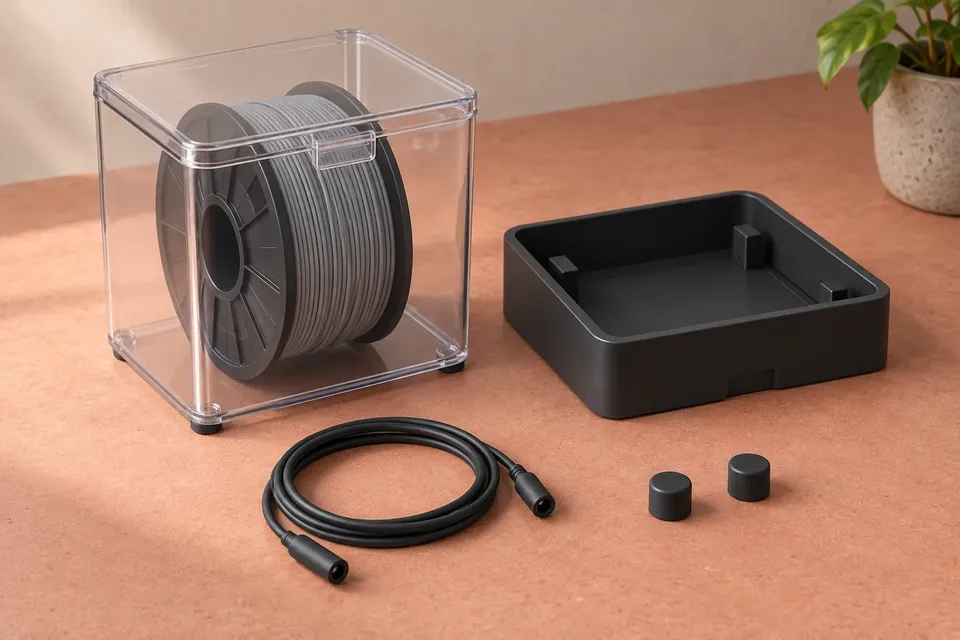
An extra box is not necessarily an extra dryer. In a modular system, a powered dock may supply the drying function while removable containers serve as storage. Before ordering, trace the complete combination from the wall outlet to the spool—and check what the selected listing actually includes.
The useful shopping question is not simply “Does this box fit?” It is “Will this exact box, dock and accessory combination do the job I need, with the parts in my basket?” Product photos can show a complete setup even when the selected option includes only one component.
Trace the parts from power to spool
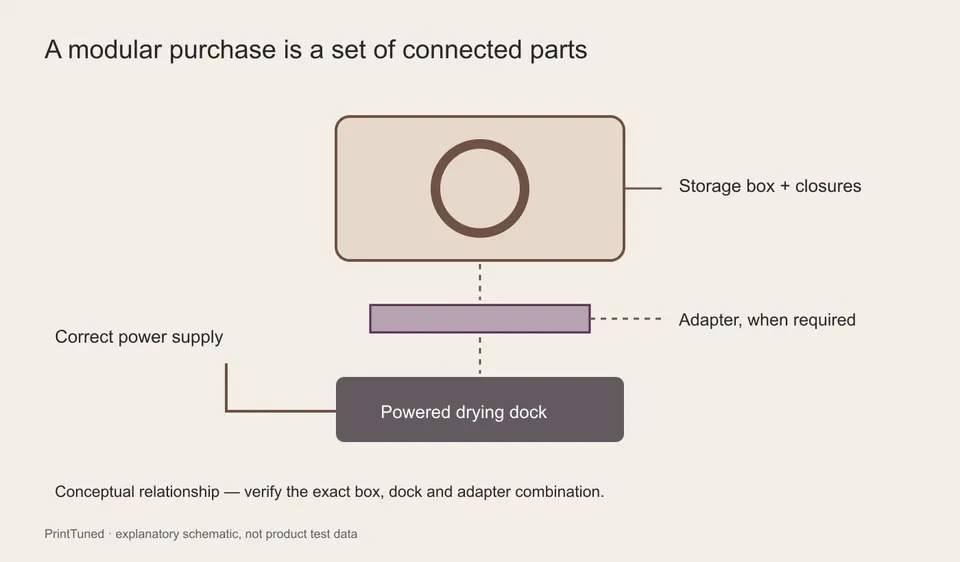
| Part to check | What to confirm | Where a purchase can go wrong |
|---|---|---|
| Powered dock or base | Exact model and compatible container versions | A storage-only listing is mistaken for a complete heated unit |
| Container | Supported spool diameter and width, supports, lid and outlets | The roll fits the cavity but cannot use the intended supports |
| Adapter | Whether this particular box-and-dock pairing requires one | An accessory shown in the diagram is sold separately |
| Power supply | Included supply, region and manufacturer-specified electrical requirements | A familiar-looking connector is assumed to establish compatibility |
| Storage closures | Caps, plugs, seals and other parts needed after removing the box | The container is left with an open drying or feeding port |
The diagram shows the relationship between components, not a compatible assembly you can reproduce from its shape. Compare model names and the manufacturer’s compatibility statement. Matching colors, similar dimensions or a shared brand are weaker evidence than an explicit supported pairing.
A larger box may change the accessory list
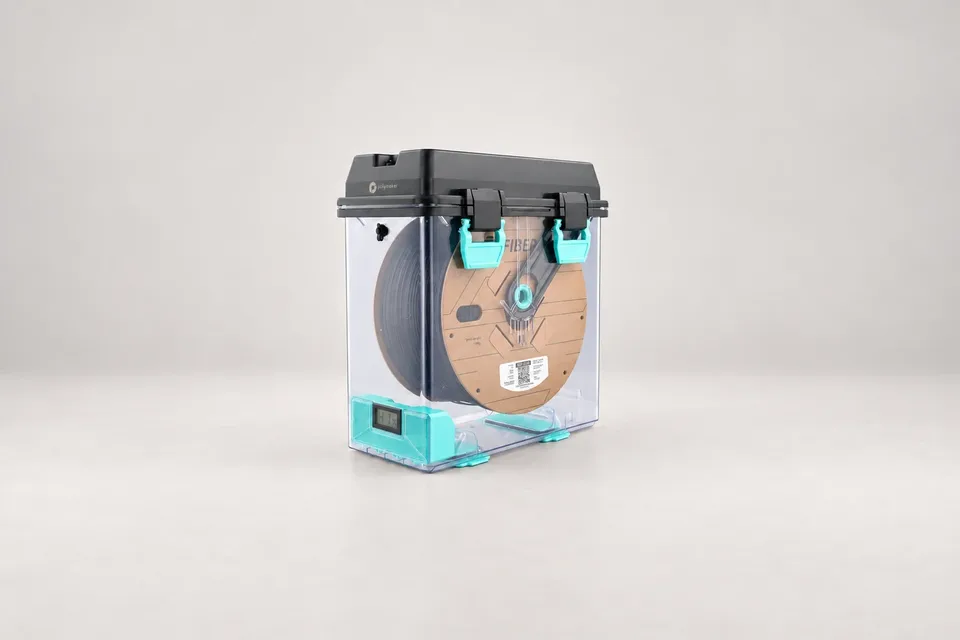
The PolyDryer Box XL listing provides a useful example: its FAQ identifies an adapter requirement for use with the PolyDryer dock and explains the separately available or printable adapter options. Check the selected bundle rather than assuming the requirement is included in every purchase.
This is why an upgrade should start with the exact box version and the dock you already own. A standard-box accessory list is not automatically the right list for an XL container. If you choose a printable option, use the manufacturer-linked design and its printing instructions, and include that preparation in your buying decision.
The standard PolyDryer product page also separates the dock-and-box system from the individual storage role. Read the variant description, package contents and compatibility notes together; the product name alone is too broad to serve as an order checklist.
Count powered positions separately from storage boxes
Suppose you buy one dock and three compatible boxes. You may gain three places to store spools, but only the drying arrangement supported by that one dock. Do not multiply active drying capacity by the number of containers on the shelf.
That can still be a useful setup when rolls are prepared in sequence and stored until needed. It is less useful if two unprepared materials must start printing at the same time. Map the preparation queue before deciding whether the next purchase should be another box or another powered position.
Also check what happens while one box is drying: can the others remain closed independently, and does each have the closures or accessories needed for storage? A shared component can become inconvenient if it must move between boxes every time you change colors.
Check three kinds of compatibility
Spool compatibility: compare measured outer diameter and overall width with the stated supported limits. Then check the support method, projecting hub, added rim or adapter, and intended filament outlet. A nominal mass label cannot answer those questions.
Process compatibility: match the equipment’s documented operating capability to the exact filament’s preparation instructions. The largest available box is not useful if the system cannot perform the required process. Likewise, a compatible dock connection does not establish that every spool construction can tolerate the cycle.
Workspace compatibility: measure the assembled system, including any adapter height, lid access and cable route. Confirm the operating clearance in the manual. A box that fits on the shelf in storage mode may occupy a different space when attached to its dock.
Keep these checks separate in your notes. A supported electrical or mechanical connection answers one question; it does not automatically answer the other two.
Price the configuration you will actually use
Build a complete basket before comparing the headline prices:
Required powered units + required boxes + mandatory adapters or supplies + storage accessories + delivery and applicable taxes.
Do not include an optional accessory just because it is pictured, but do include a required part even if a printable alternative makes it look “free.” Printing consumes material, time and some verification of the finished component. Compare bundles on the same basis and check whether spare parts are available in your region.
Before paying, save the exact variant names and package contents with the order. If the listing leaves a gap, ask a specific question: “I own dock model X and want box version Y. Which adapter and power supply are required, and are they included in this option?” That answer is far more useful than a general assurance that the system is modular.
Our standard: Clear sources, practical limits, and no invented test results. Read our editorial policy.
Maya Reynolds
Maya evaluates 3D printers and hardware through repeatable setup, print-quality, speed, reliability, noise, and usability tests.